

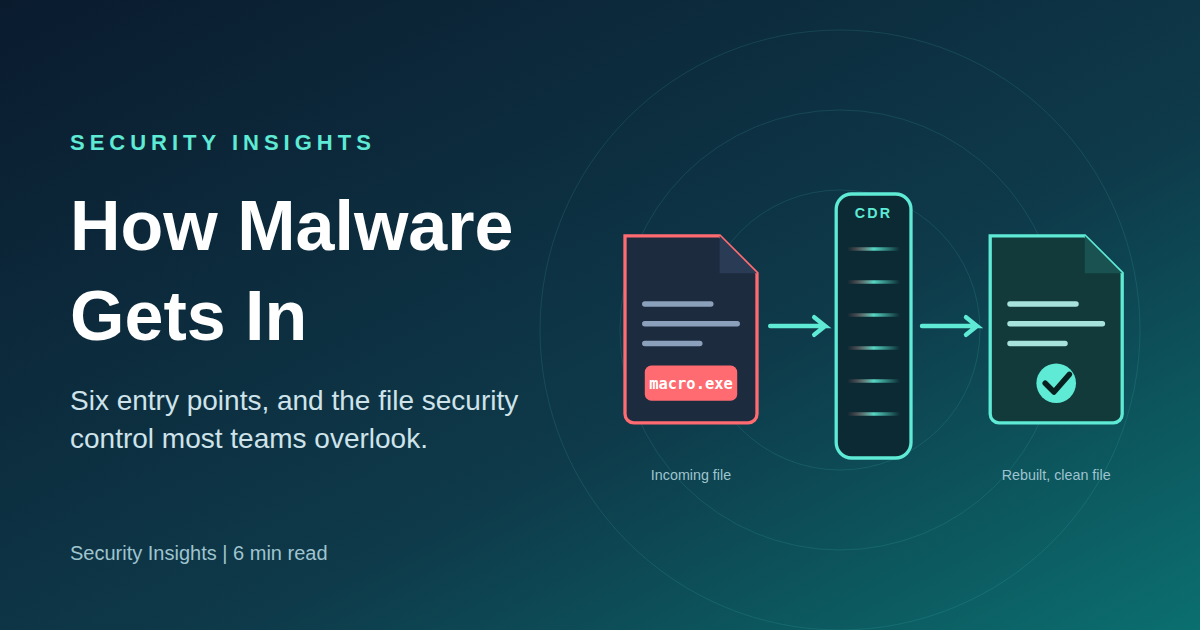
Most malware doesn’t break in. It gets invited. Persuading a person to open a file, click a link or approve an update is cheaper and more reliable than burning an exploit on a hardened perimeter.
Understanding the main entry points is the first step to closing them, and one of the most effective controls against file-borne threats is still widely overlooked.
The six most common entry points
1Phishing and social engineering
Email, SMS and chat remain the favorite channels. Lures are mundane: fake invoices, shared PDFs, documents that “require” macros.2Compromised or fake software
Pirated apps, cracked games and counterfeit updates often ship a hidden payload alongside the program the victim wanted.3Drive-by downloads
Visiting a compromised site can be enough. Secure browsing controls target this route. Exploited browser or plugin flaws install malware with no download click.4Stolen or weak credentials
Leaked logins and brute-forced RDP or VPN accounts let attackers walk in as authorized users, then deploy malware afterward.5Unpatched vulnerabilities
Scanners and exploit kits hunt for known, unfixed flaws in operating systems and exposed services, then move laterally.6Removable media
Dropped or shared USB drives carrying disguised executables still infect machines the moment they are plugged in. A removable media kiosk checks drives before they enter.Rankings shift by year and dataset. Some reports put phishing first, others place stolen credentials or vulnerability exploitation at or near the top. The practical takeaway is the same: several paths are open at once, and most involve a file or a human decision.
A trusted tool is not a safe file
Organizations typically defend that moment with antivirus and sandboxing. Both are detection-based: they work by recognizing something as bad. Attackers respond by:
- Using new or lightly modified malware with no signature yet
- Hiding logic in macros, embedded objects, scripts or exploit code inside normal-looking Office documents and PDFs
- Delaying or conditioning behavior so it doesn’t trigger in a sandbox
- Abusing file-format quirks that scanners parse differently than the target application
When detection misses, the file is delivered as-is, and the user’s own application executes the threat.
What CDR does differently
Content Disarm and Reconstruction flips the question from “is this file bad?” to “what in this file is actually needed?” The engine keeps the safe business content, removes anything that can carry active threats, and builds a fresh, functional file. See real file sanitization samples.
CDR asks: “What does this file need to contain?”
The key property is that CDR doesn’t need to identify the threat. A zero-day payload tucked into active content is removed along with all other active content, whether or not any scanner has ever seen it.
Why it gets overlooked
- Detection is the default mental model. Budgets center on finding bad things, so prevention by reconstruction feels unfamiliar.
- Fear of broken files. Early products sometimes degraded complex documents. Modern implementations are far better and tunable by file type and user group.
- It sits between categories. CDR isn’t neatly endpoint, email or network, so ownership is unclear.
- Quiet success. A control that prevents incidents produces no dramatic alert.
Where CDR fits best
Anywhere files cross a trust boundary: email gateways, web upload portals and APIs, file transfer and sharing, web downloads and removable media, and air-gapped or segregated networks.
Complement, don’t replace
CDR is not a silver bullet. It won’t stop credential theft, exposed RDP, unpatched servers or a user deliberately installing cracked software. It belongs in a layered strategy:
- Multi-factor authentication, with RDP never exposed to the internet
- Prompt patching of operating systems, browsers and exposed services
- Email filtering and security awareness training
- Restricted software installation and USB controls
- Antivirus and EDR for what CDR doesn’t cover
- Offline, tested backups
The next question is not “is it bad?” It is “what does it need?”
If your file defenses rely entirely on detect-and-hope, CDR is one of the highest-value layers you can add.
Related reading: Knowledge base · The Convergence Problem: artifact assurance in automotive software
Share on:
